Struggling with unreliable RFID reader1 performance? This can halt operations and inflate costs. Understanding its core components is the key to making a smart purchase decision.
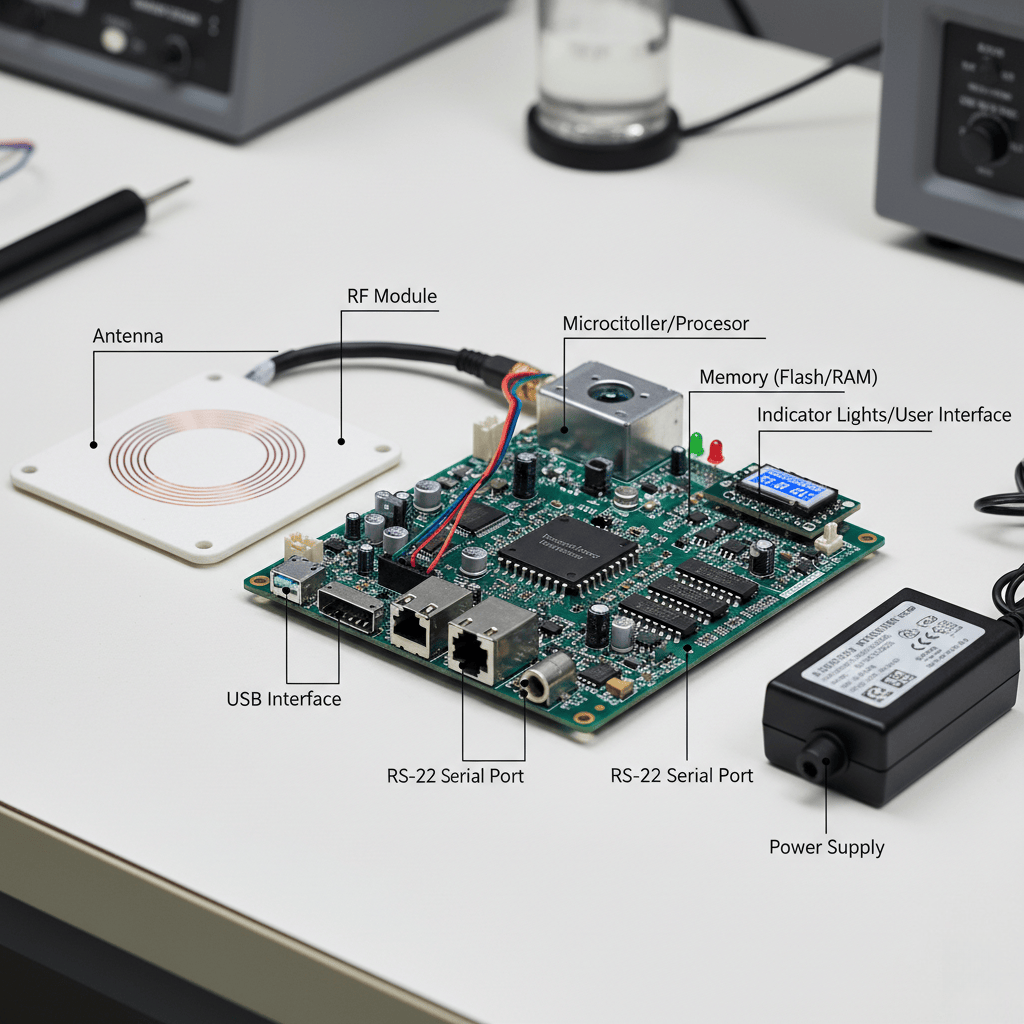
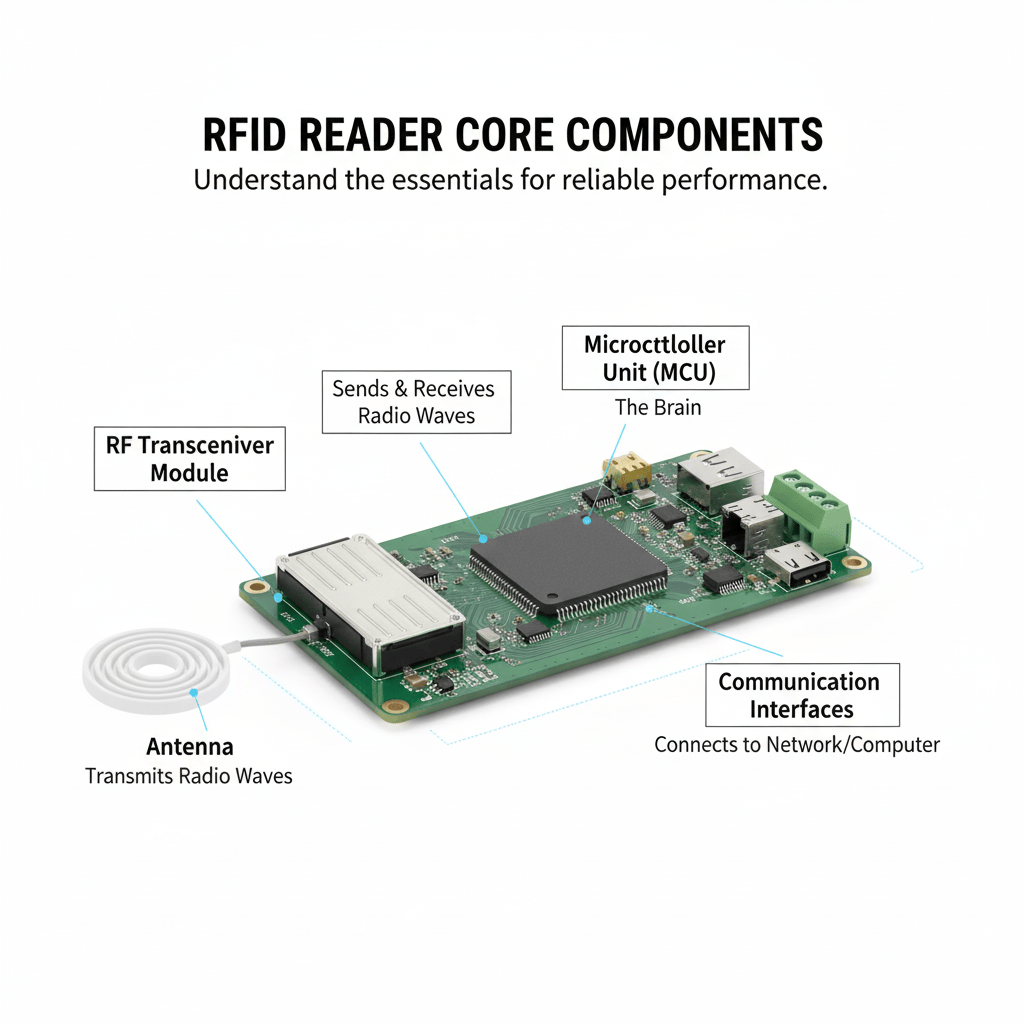
An RFID reader1 has four key parts. A microcontroller unit (MCU) acts as the brain. An RF transceiver module2 sends and receives radio waves. An antenna transmits these waves. And communication interfaces3 connect the reader to your network or computer.
These components must work together perfectly. As a buyer, you need to look beyond the top-level specifications on a data sheet. I have seen many projects fail because one small, overlooked component could not handle the real-world application. It's a costly mistake. My goal is to help you break down the reader so you can see what truly matters for your system. We will look at each critical section. This will help you ask the right questions and choose a reader that will not fail you when you need it most.
How Does the Microcontroller Unit (MCU) Impact Reader Performance?
Think all reader "brains" are equal? A weak microcontroller can bottleneck your data flow, causing critical delays. Selecting a reader with a capable MCU is crucial for high-speed applications.
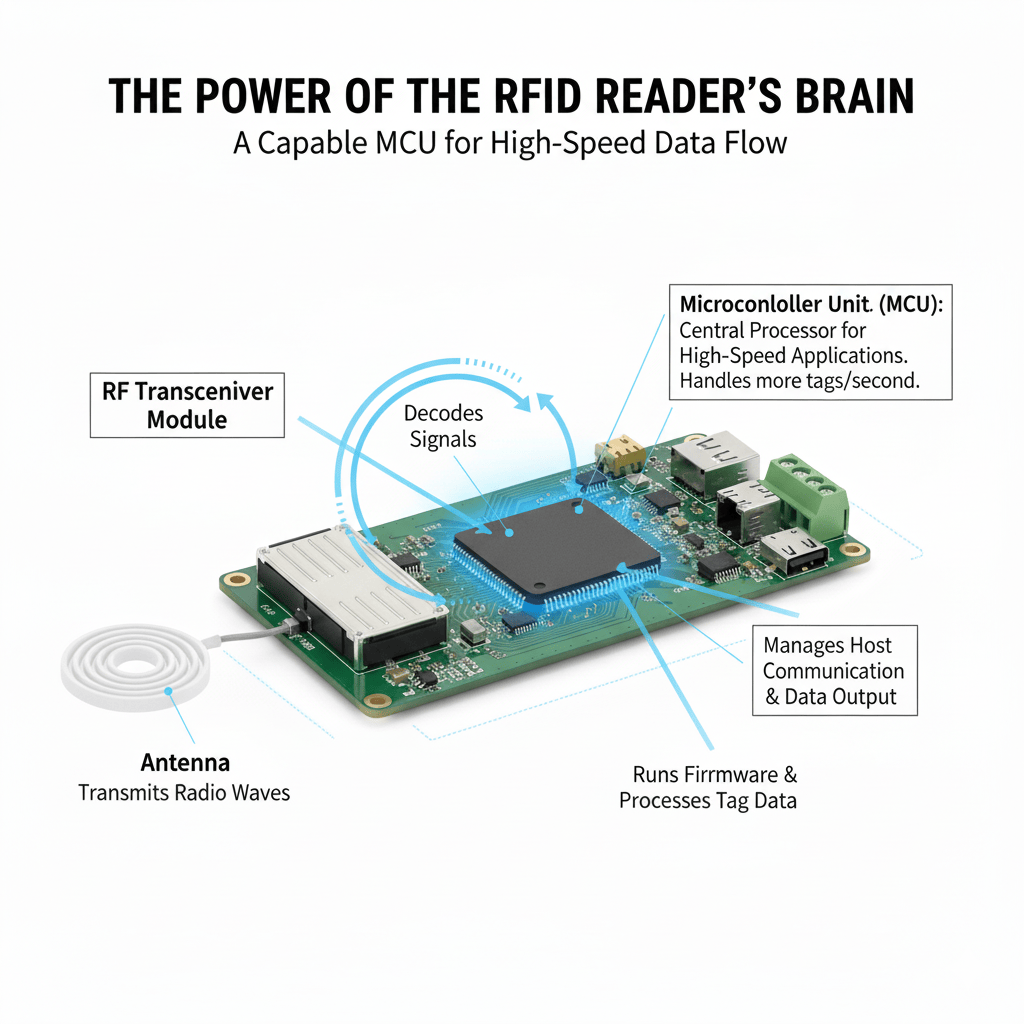
The MCU is the reader's central processor. It runs the firmware, decodes signals from the RF module, processes tag data4, and manages communication with the host system. A faster MCU handles more tags per second and supports complex protocols.
I remember a client who bought a budget reader for their new automated sorting line. In their test lab with a dozen tags, it worked fine. But on the production floor, with hundreds of tags moving quickly, the system started missing reads. The reader’s cheap MCU was completely overwhelmed. It couldn't process the tag data4 fast enough to keep up. We swapped it for a unit with a more powerful ARM Cortex-based MCU, and the problem disappeared overnight. The MCU is not just a processor; it runs the entire show. It manages the reader's operating system, executes the complex anti-collision algorithms5 that let you read many tags at once, and filters out duplicate or irrelevant reads. When you evaluate a reader, don’t just look at the price. Ask about the MCU inside.
MCU Feature Breakdown
| Feature | Impact on Performance | What You Should Look For |
|---|---|---|
| Clock Speed (MHz/GHz) | Determines how many instructions the MCU can execute per second. Higher speed means faster data processing and tag decoding. | For high-traffic areas, look for higher clock speeds to avoid data bottlenecks6. |
| RAM (Memory) | Provides temporary storage for tag data4 during processing. More RAM allows the reader to handle more tags simultaneously. | If you are reading hundreds of tags at once, a reader with more RAM is essential. |
| Firmware Support | The firmware dictates the reader's capabilities. A good MCU supports upgradable firmware for new features and protocols. | Ask if the firmware is upgradable. This makes your investment future-proof. |
Why is the RF Transceiver Module the Heart of an RFID Reader?
Facing inconsistent read range7 and signal interference8? Your reader’s RF module is likely the weak link. A high-quality transceiver is essential for reliable communication with tags.
The RF transceiver module2 generates the radio waves that power and communicate with tags. It modulates the outgoing signal to send data and demodulates the incoming signal to read data. Its quality directly determines read range7, accuracy, and interference resistance.
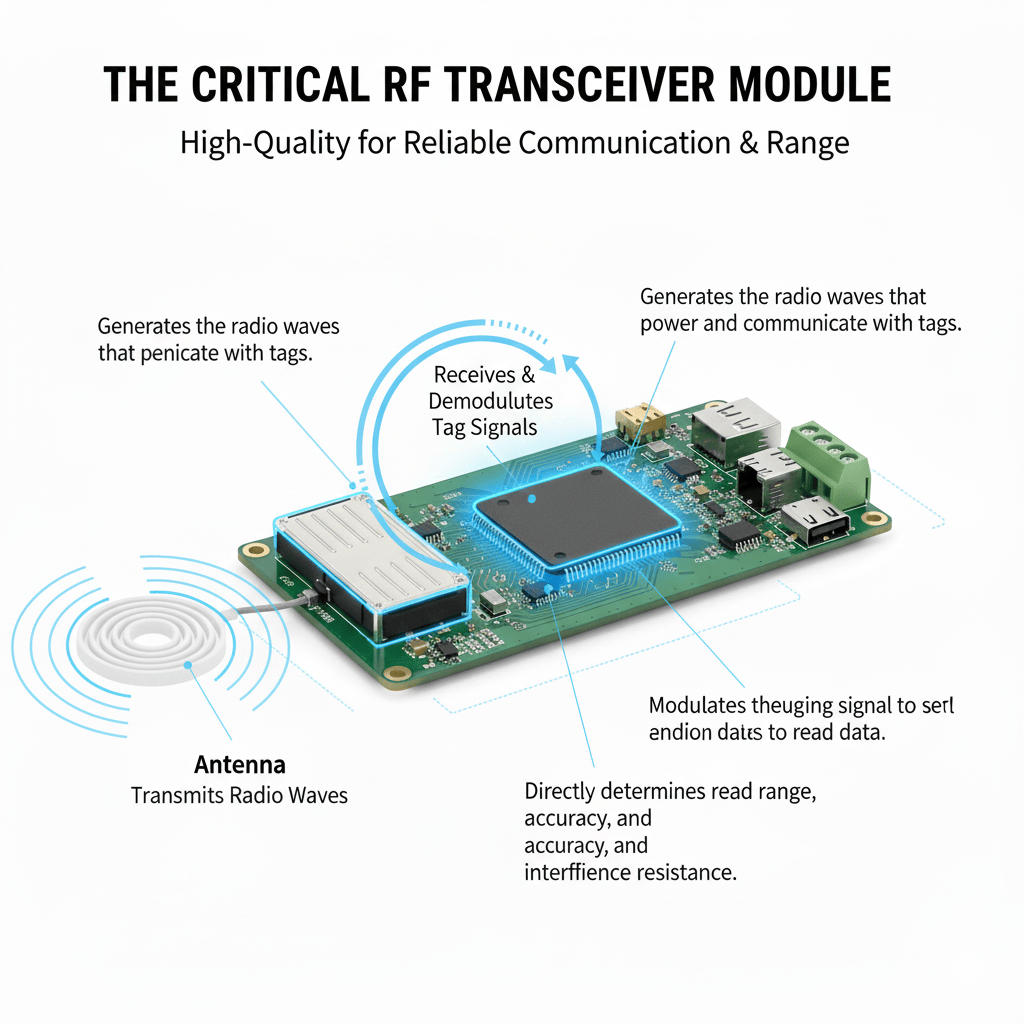
I was at a manufacturing plant where their new RFID system was failing randomly. The readers were working one minute and missing tags the next. We discovered that the RF modules in their readers had very poor shielding. The electrical noise from nearby conveyor belt motors was disrupting the weak radio signals coming back from the tags. The transceiver module is where the digital commands from the MCU become physical radio waves. It has two main jobs: transmitting power to the tag and listening for the tag’s faint reply. A well-designed module can filter out background noise and lock onto the tag’s signal. A poorly designed one gets easily confused. This is why we at Fongwah obsess over the design and shielding of our RF front-end. It is the foundation of a reliable reader.
Key RF Transceiver Specifications
| Specification | Its Importance | Buyer's Consideration |
|---|---|---|
| Transmit Power (dBm) | This dictates the strength of the signal sent out, directly influencing read range7. Higher power generally means longer distance. | Check local regulations. You need enough power for your application without exceeding legal limits. |
| Receiver Sensitivity (dBm) | This measures the module's ability to hear a faint signal from a tag. A more sensitive receiver can read tags from farther away. | This is just as important as transmit power9. A lower number (e.g., -85 dBm) is better. |
| Frequency Stability | The module must stay on its designated frequency. Poor stability can cause interference with other devices and failed reads. | Look for high-stability components, especially in environments with many other wireless devices. |
What Role Do Communication Interfaces Play in System Integration?
Is your new reader creating an integration headache? The wrong communication interface creates data bottlenecks6 and compatibility issues. Selecting the right ports is critical for seamless system integration.
Communication interfaces are the physical ports that connect the RFID reader1 to a host computer or network. They transfer collected tag data4 for processing and allow the host system to control the reader's operation. Common interfaces include USB, Ethernet, and RS232.
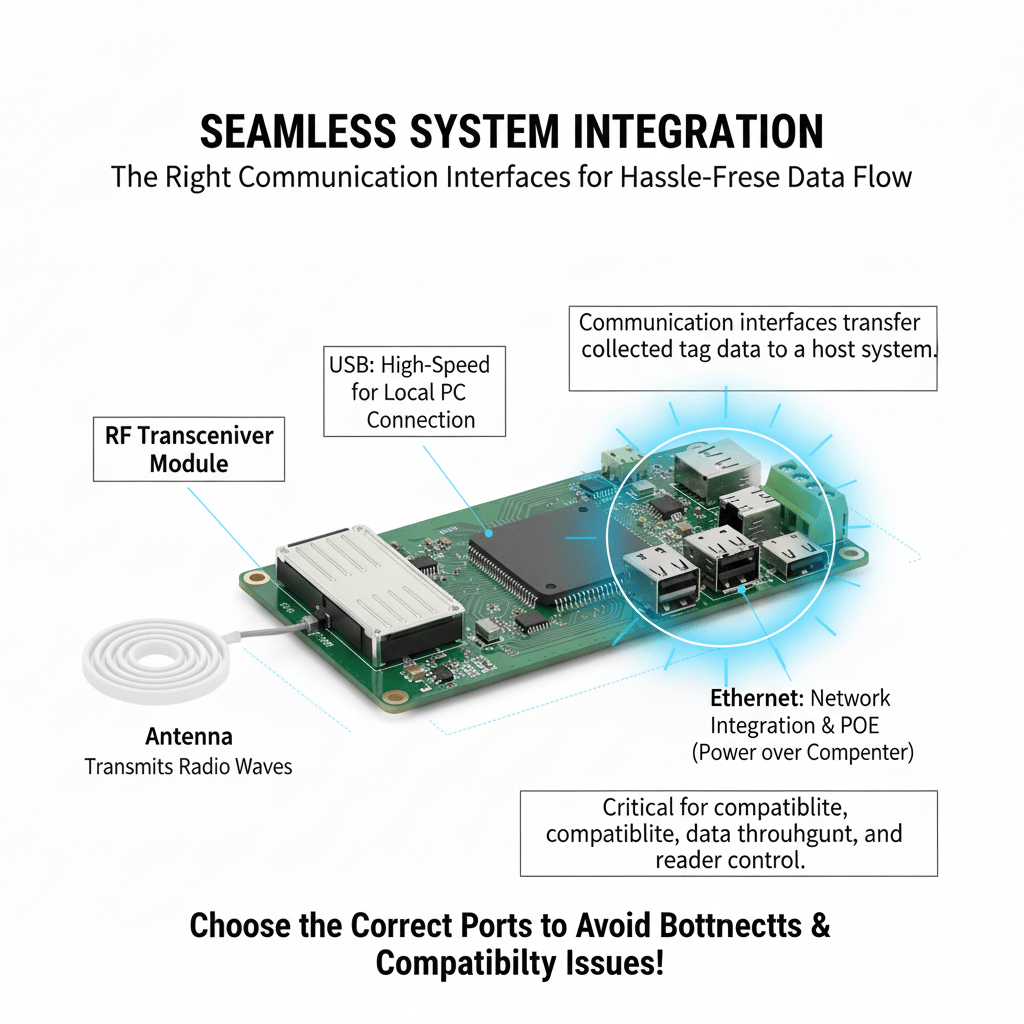
A logistics client once insisted on readers with RS232 ports. Their old system used it, so they wanted to keep things the same. But their new warehouse management software needed real-time data from 50 readers across a large facility. The RS232 interface, with its limited speed and distance, simply couldn't handle it. The system was a disaster until they upgraded to readers with Ethernet ports. The interface is the bridge between the reader and your software. It is not just about having a port that fits; it is about having a port that meets the data speed, distance, and networking requirements of your entire system. For a single desktop reader, USB is fine. For a large, distributed system, you need a networkable solution like Ethernet. Also, consider options like Power over Ethernet (PoE). It simplifies installation by sending both power and data over a single cable.
Common Interface Comparison
| Interface | Best For | Key Limitation |
|---|---|---|
| USB | Simple, point-of-sale or desktop applications where the reader is close to a single host computer. | Very short cable distance (typically under 5 meters). Not suitable for networking. |
| RS232/RS485 | Legacy industrial equipment and simple machine-to-machine connections. More robust than USB for industrial settings. | Slow data transfer speeds and limited networking capability. Being phased out in modern systems. |
| Ethernet (TCP/IP) | Networked applications, such as warehouses or access control systems, where multiple readers report to a central server. | More complex to configure than a simple USB connection. Requires network infrastructure. |
| Wi-Fi / Bluetooth10 | Mobile or portable applications where running a physical cable is impractical, like a handheld reader. | Can be susceptible to wireless interference. May have higher latency than a wired connection. |
Conclusion
A reader is more than its specs. Understanding the MCU, RF module, and interfaces ensures you choose a device that truly solves your problem and performs reliably.
---Explore this link to discover top-rated RFID readers that ensure reliable performance and meet your operational needs. ↩
Understand why the RF transceiver module is essential for reliable communication and how it affects read range. ↩
Find out which communication interfaces are most effective for seamless integration in RFID systems. ↩
Discover the significance of tag data in RFID technology and how it influences system performance. ↩
Discover how anti-collision algorithms improve the efficiency of reading multiple tags simultaneously. ↩
Explore solutions to prevent data bottlenecks and ensure smooth operation of your RFID systems. ↩
Learn about the key factors that affect read range and how to optimize your RFID system. ↩
Understand the effects of signal interference on RFID systems and how to mitigate them. ↩
Learn how transmit power affects the performance and range of RFID readers. ↩
Explore the benefits and limitations of using wireless connections for RFID systems. ↩