Your RFID system is not working as expected. You invested time and money, but the results are disappointing, causing project delays and frustration.
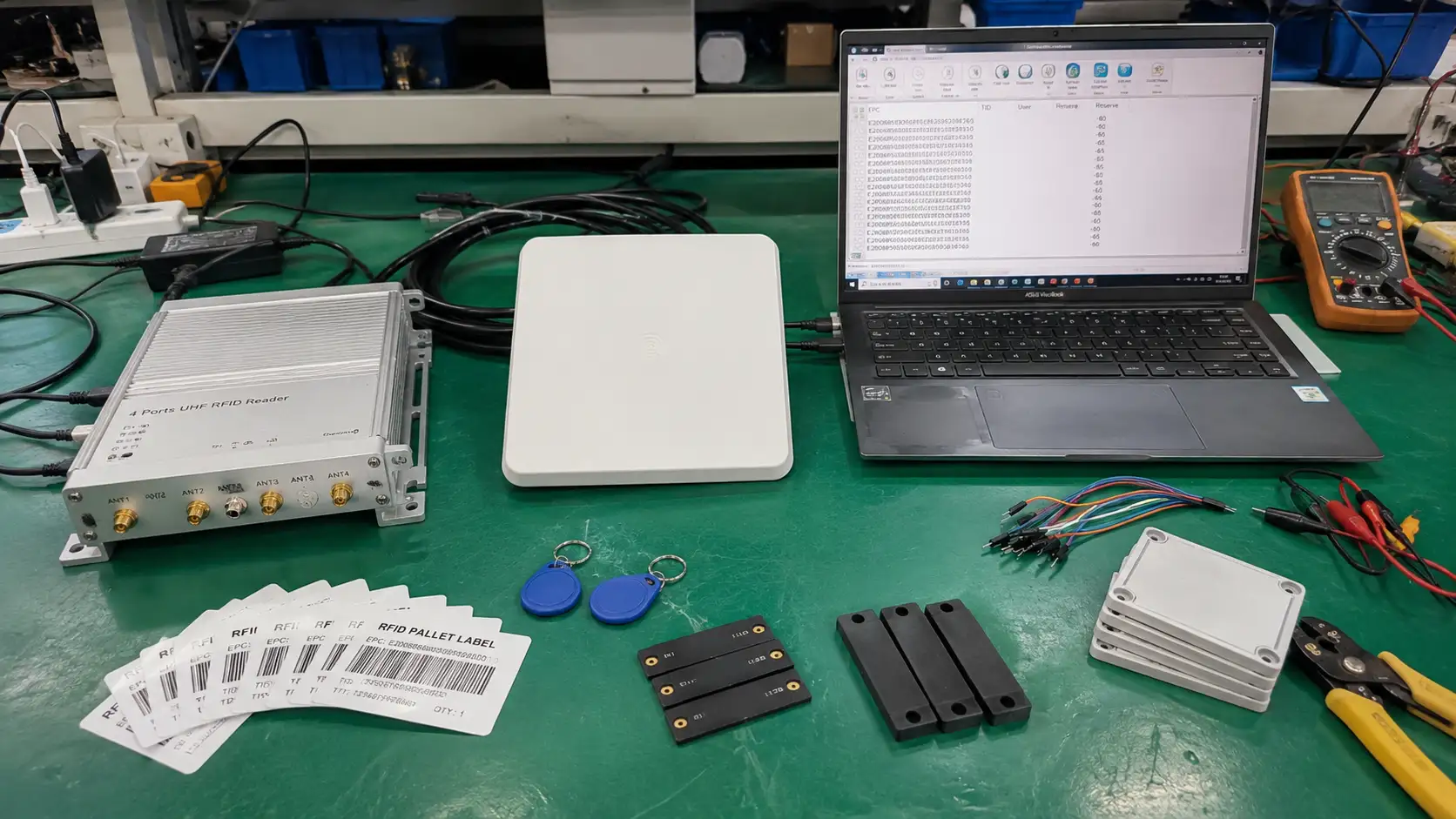
An RFID system has four key components: an RFID tag, a reader, an antenna, and a computer or software system. These parts work together to identify objects, collect data, and manage information without direct line-of-sight.
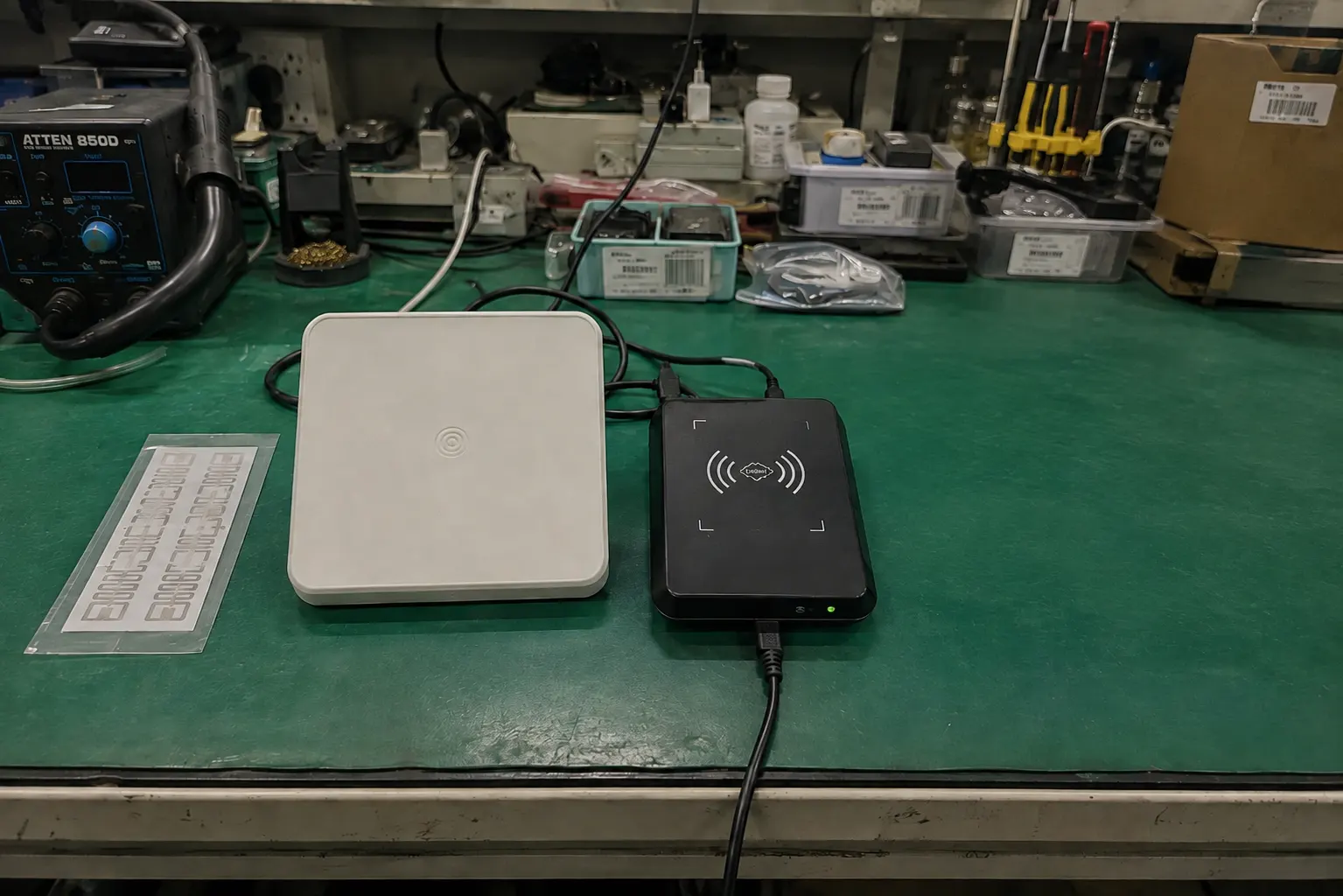
Across years on the production line and in management, Fongwah's teams have seen countless projects succeed or fail based on how well these components were chosen. A system is only as strong as its weakest link. Before purchasing, it helps to understand how each part affects the whole. Start with the three hardware components, where many initial purchasing mistakes are made. The software makes sense of all the collected data, but it can only work if that data is captured reliably first.
To go deeper, see our guide on how RFID works and what it can track in a B2B operation.
How do you choose the right RFID tag?
You stuck a tag on your asset, but it can't be read. Now your entire tracking process has a blind spot, making your inventory data completely unreliable.
The right RFID tag has two parts: a microchip to store data and an antenna to communicate. Your choice must match your application's surface material, read range, and environment.
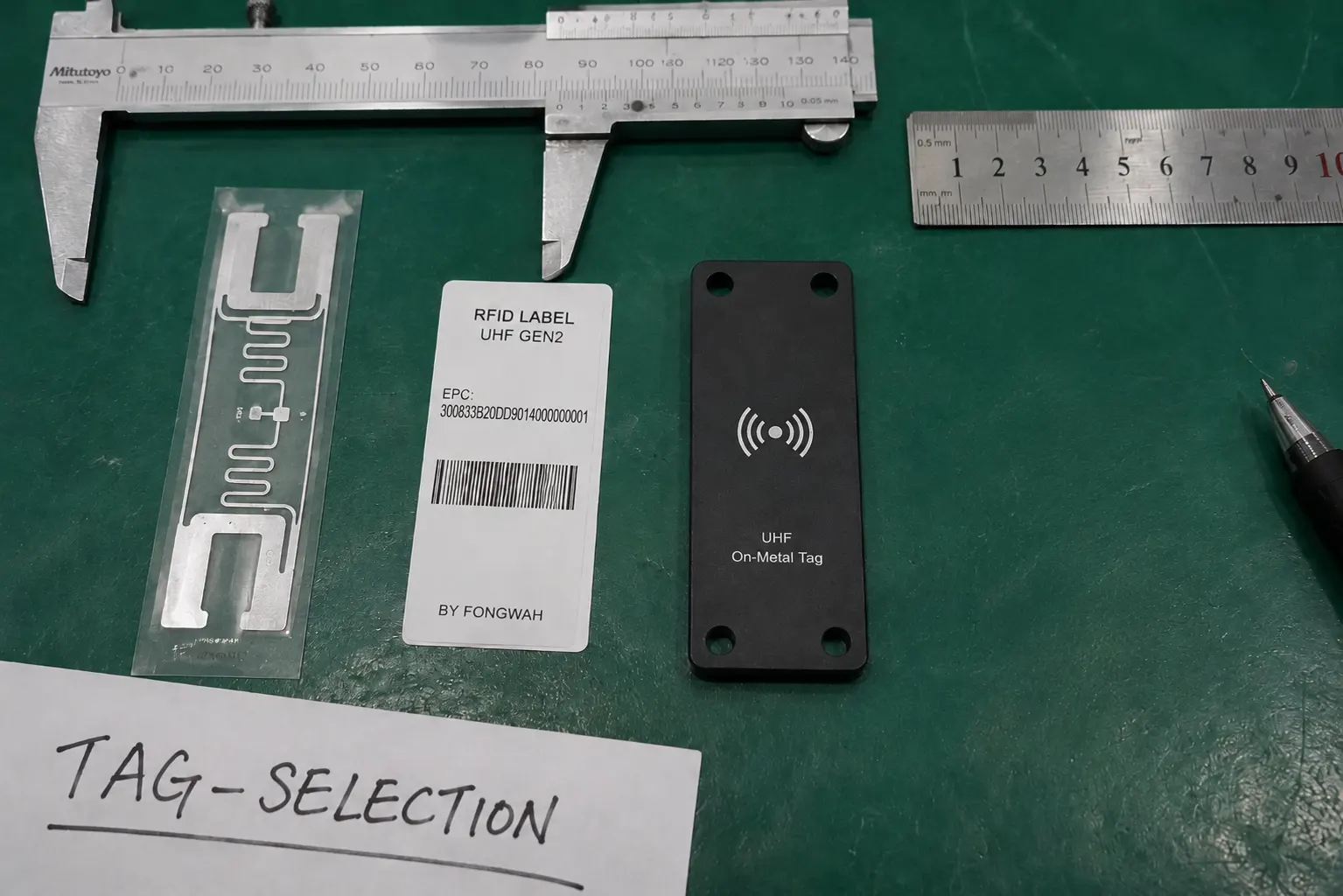
Choosing the right tag is more than just picking one off a list. It's the foundation of your entire system. A manufacturing client once tracked metal tool parts using inexpensive standard paper-based RFID labels. The project failed: the metal surfaces detuned the inlays, making the tags unreadable. Thousands of tags had to be replaced with specially designed on-metal hard tags — a costly lesson. This is why understanding the tag's construction is critical. The inlay — the IC (microchip) bonded to an etched or printed antenna — sets the RF performance, while the encapsulation (the housing) ensures its survival. Consider temperature, moisture, impact, and the surface it will be attached to. Buyers should weigh total cost of ownership, not just the price per tag.
Tag Component Comparison
| Feature | Description | Importance for Buyers |
|---|---|---|
| Microchip | Stores the tag's unique ID and other data. Memory can be read-only, write-once, or read-write. | The memory capacity and type must match your data requirements. Higher memory costs more. |
| Antenna | Receives power from and sends data to the reader. Its size and shape affect read range. | The antenna design must be optimized for the frequency and the item being tagged (e.g., metal, liquid). |
| Encapsulation | The protective housing for the chip and antenna. Can be a paper label, a hard plastic shell, etc. | This determines the tag's durability. Choose one that can survive the asset's entire lifecycle. |
What role does the RFID reader play?
You have readers installed, but data collection is spotty. Your team is wasting time trying to get manual reads, defeating the purpose of your investment in automation.
The RFID reader acts as the system's nerve center. It sends out radio waves that powers the tags and then decodes their responses, turning radio signals into useful digital data.
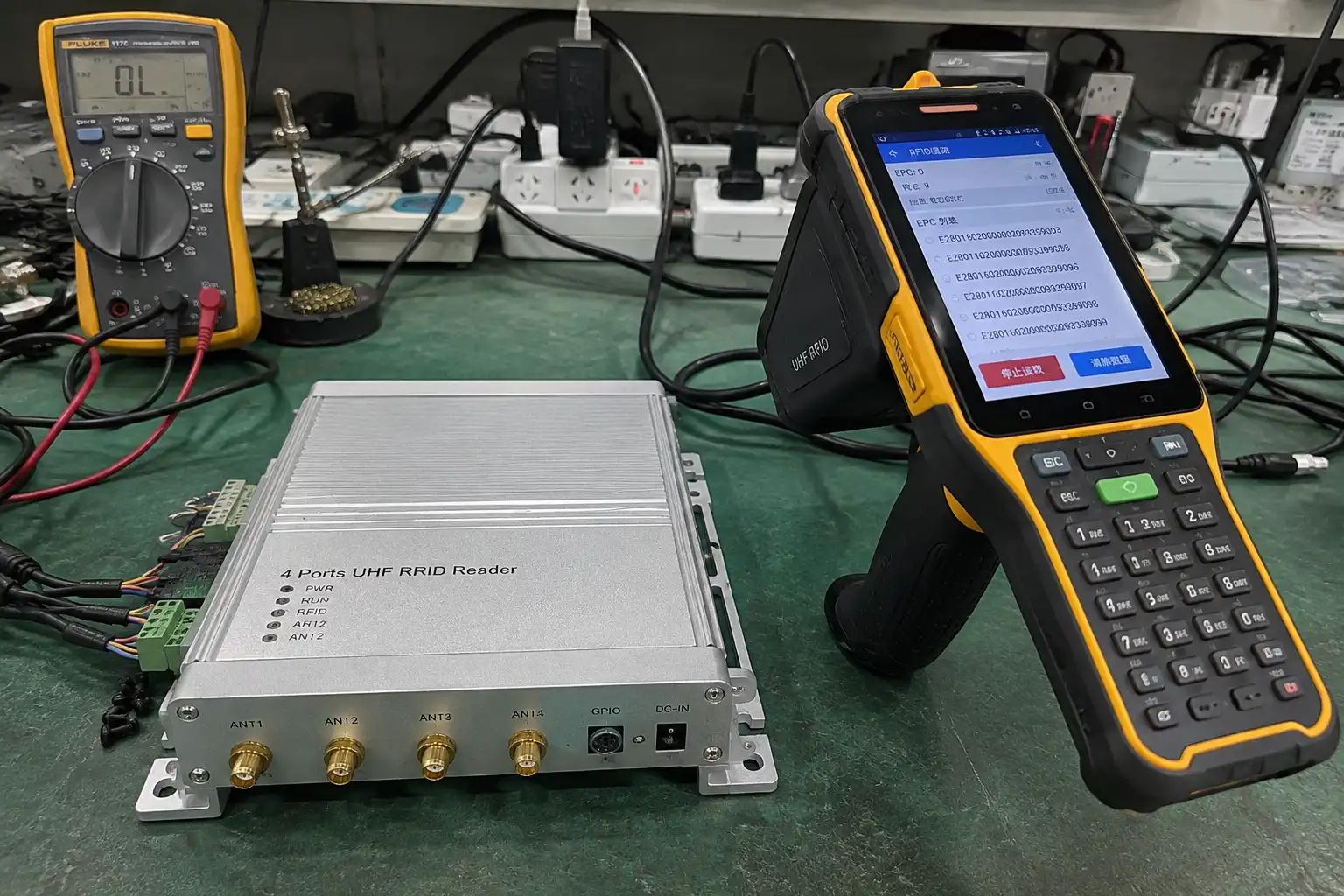
The reader, also called an interrogator, is the active part of the RFID system. The choice between a fixed reader and a mobile one changes the workflow significantly. One logistics company first equipped staff with only handheld readers to track pallets. The process beat barcodes but still relied on people walking the floor. Fixed readers were later installed at key choke points — dock doors and conveyor belts — creating a fully automated system where reads were captured passively as pallets moved, with no human intervention. The higher upfront cost of the fixed readers was recovered in under a year through labor savings and improved accuracy. Buyers should analyze their own workflow to decide which reader type delivers the most value, and weigh connectivity options such as Ethernet or Wi-Fi alongside how easily the reader integrates with existing software. The reader's RF module and antenna-port layout also dictate how many read zones a single unit can cover.
Reader Type Comparison
| Reader Type | Common Use Cases | Key Considerations for Buyers |
|---|---|---|
| Fixed Reader | Portals, dock doors, conveyor belts, smart shelves. High-traffic, automated checkpoints. | Higher initial cost. Requires strategic installation and wiring. Offers continuous, automated monitoring. |
| Handheld Reader | Cycle counting, asset finding, field service, mobile workstations. Tasks requiring mobility. | Lower initial cost per unit. Relies on operator action. Battery life and ergonomics are crucial. |
| Integrated Reader | POS systems, access control panels, printers. Embedded into other devices for a specific function. | Highly specialized. Less flexible than other types but seamless for its intended task. |
Why is the antenna a critical choice?
Your reader is powerful and your tags are correct, but the read range is terrible. You are missing assets that are right there, creating massive gaps in your data.
The antenna is the bridge between the reader and the tag. It shapes and directs the radio frequency field, creating the "read zone" where tags can be detected.
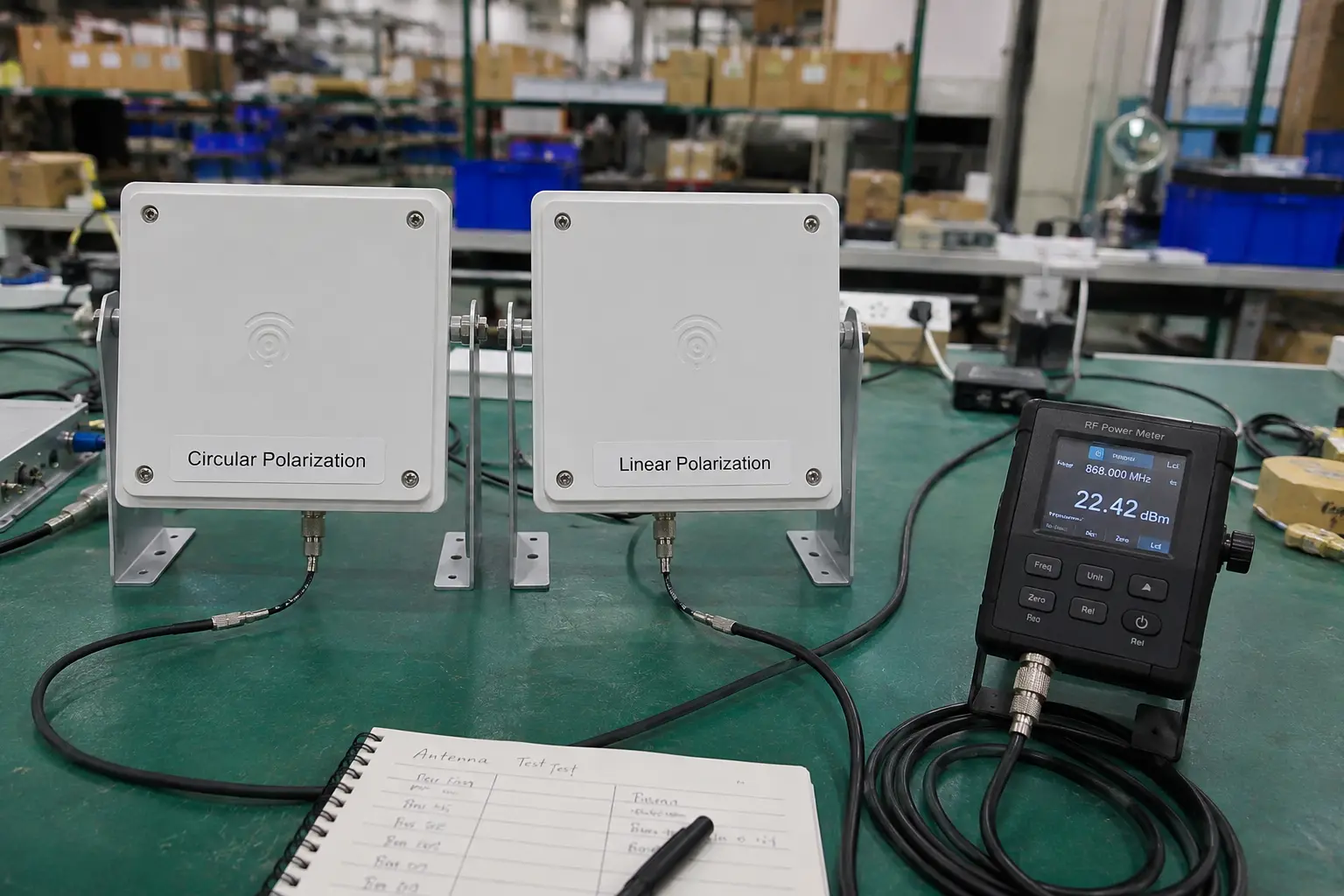
Never underestimate the antenna — it is just as important as the reader. Gain, beamwidth, and polarization determine where the system can and cannot read tags. A common mistake is the wrong polarization. One retail warehouse used a linearly polarized antenna to read pallets of tagged apparel; reads were inconsistent because tags not perfectly aligned with the wave went unseen — a physics problem, not a hardware fault. Switching to a circularly polarized antenna resolved it: its rotating wave orientation reads tags in almost any position, pushing read rates to nearly 100%. The issue was never reader power but how that power was shaped and delivered. When specifying, share the physical environment and likely tag orientation with the supplier so they can recommend the right antenna. Antenna gain and polarization should be matched to the reader's RF output and the required read zone.
Antenna Polarization Comparison
| Polarization | How It Works | Best For |
|---|---|---|
| Linear | Emits radio waves on a single plane (either vertical or horizontal). More focused power. | Known and controlled tag orientation. Can achieve a longer read range in ideal conditions. |
| Circular | Emits radio waves in a rotating, corkscrew pattern. Less focused but more versatile. | Unknown or varied tag orientation, like boxes of mixed items. The industry standard for most applications. |
Frequently Asked Questions
Q: What are the 4 main components of an RFID system?
A: The four parts are the tag (stores the ID), the reader (powers and reads the tag), the antenna (sends and receives the radio signal), and the software (turns reads into usable data).
Q: What does an RFID tag do?
A: A tag holds a unique identifier for the item it is attached to and, in passive designs, draws power from the reader's signal to send that ID back.
Q: What does an RFID reader do?
A: The reader emits a radio field that energizes passive tags and captures their replies, then forwards the IDs to the software for processing.
Q: Why do I need an antenna if I have a reader?
A: The antenna is what actually transmits and receives the radio energy; reader modules often need a separate antenna to shape the read zone and reach the required distance.
Q: What software runs an RFID system?
A: Middleware or an RFID platform collects reads, filters duplicates, and feeds location or status data into your WMS, ERP, or a standalone dashboard.
Q: Can I mix RFID components from different vendors?
A: Often yes if they share the same air-interface standard (for example EPC Gen2 / ISO 18000-63 for UHF), but always validate interoperability and region certification before a full rollout.
Conclusion
Understanding the tag, reader, antenna, and software is the first step to building an RFID system that truly works for your business.