Are you struggling with inventory accuracy or losing track of valuable assets? Inefficient tracking costs your business money every day. An industrial RFID system solves these problems effectively.
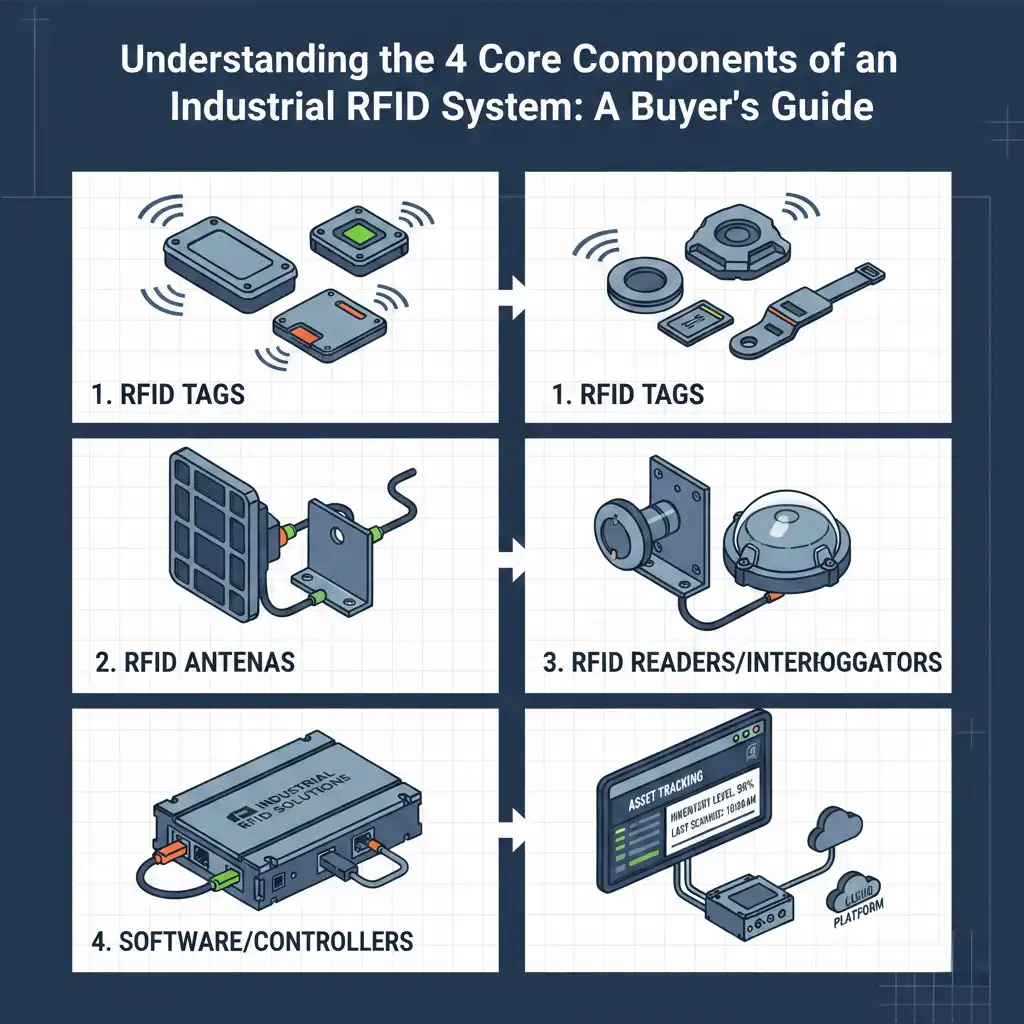
An industrial RFID system consists of four main parts: tags, antennas, readers, and software. These components work together to capture data automatically and send it to your management system.

Many buyers rush into purchasing hardware without understanding the full ecosystem. They buy a reader and some tags, but the system fails to work. This usually happens because they ignore the invisible links between the components. In this guide, I will break down exactly how these parts function as a team.
Confusion about data flow is the main reason RFID implementations fail. You must understand the signal path to troubleshoot any tracking issues.
The workflow is a closed loop: the reader sends energy, the antenna broadcasts it, the tag wakes up and replies, and software processes the data.

The RFID Closed-Loop System
I remember my early days as a production line operator at Fongwah. I would see a box pass a gate and hear a "beep," but I did not understand the magic behind it. Now, after 5 years in this industry, I know it is not magic; it is a precise sequence of events. To build a reliable system, you must view these four components as a single chain. If one link breaks, the whole system fails.
Here is the step-by-step breakdown of the loop:
- Transmission: The Reader generates a signal and sends it to the Antenna.
- Activation: The Antenna broadcasts this energy as radio waves to a specific zone.
- Response: The Tag catches these waves. If it is a passive tag, it uses this energy to wake up. It then sends its unique ID back to the antenna.
- Processing: The Reader decodes the signal and sends the digital data to your Software.
The Role of Each Component
| Component | Role | Analogy |
|---|---|---|
| Reader | Generates signals and processes data | The Brain |
| Antenna | Transmits and receives waves | The Mouth and Ears |
| Tag | Stores asset data | The ID Card |
| Software | Makes sense of the data | The Librarian |
This seamless interaction happens in milliseconds. However, physical obstacles can disrupt this flow. For example, if metal blocks the antenna, the tag never wakes up. Understanding this flow helps you place hardware correctly.
How do I choose the right RFID tag type to match my assets?
Using the incorrect tag type leads to missed scans and data gaps. You must match the tag's specific features to your asset's material and environment.
Select tags based on power and surface compatibility. Passive tags are cost-effective for high volume. Active tags offer long range. Metal and liquid surfaces require specialized anti-interference tags.
Tag Basics: Active vs. Passive
When I advise clients, I first ask about the value of their assets. This determines the tag type.
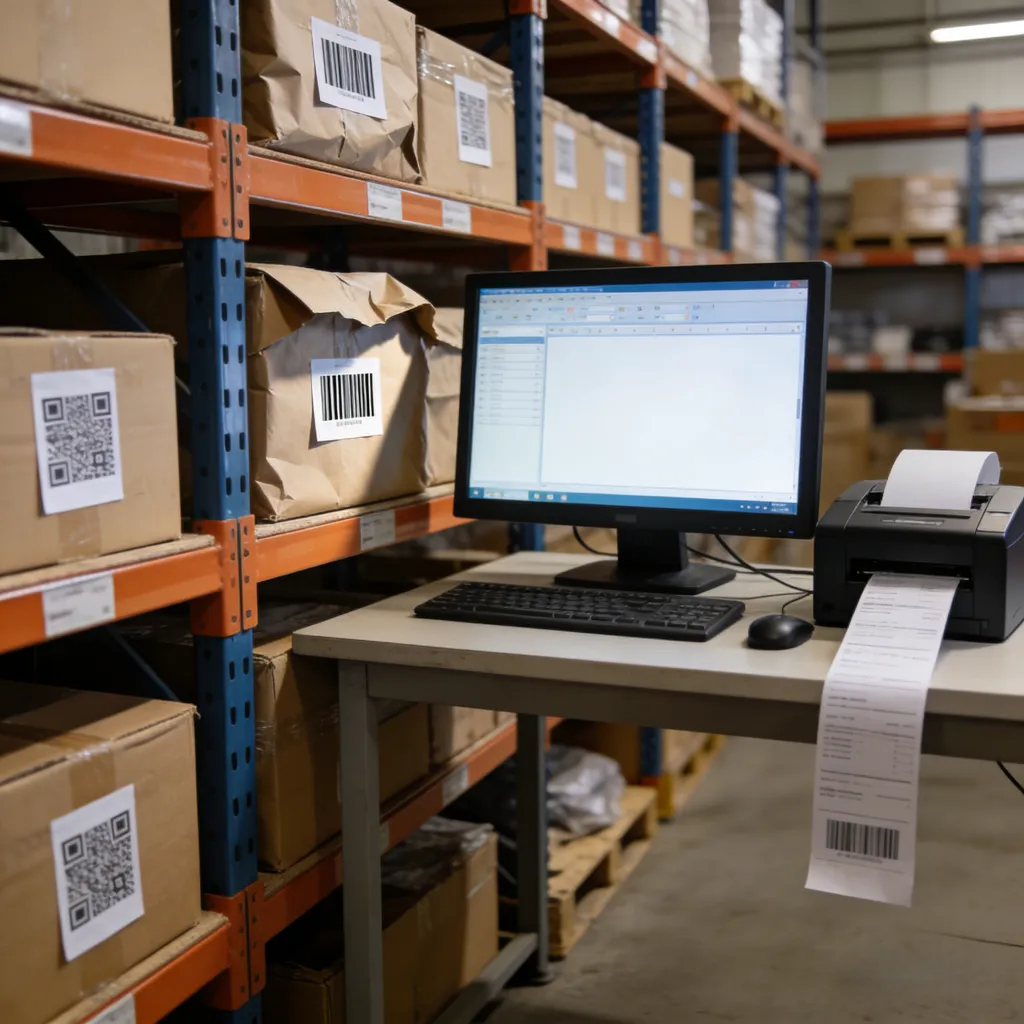
- Passive Tags: These have no battery. They are cheaper and smaller. You use these for high-volume inventory like retail clothing or warehouse boxes.
- Active Tags: These have a battery. They broadcast their own signal up to 100 meters. You use these for high-value assets like vehicles or containers in a large yard.
Tag Memory: EPC vs. TID
You also need to understand the memory banks inside the chip.
- EPC (Electronic Product Code): This is rewritten memory. You put your own asset number here. It is used for inventory counting.
- TID (Tag Identifier): This is a unique serial number set by the chip manufacturer. You cannot change it. You use this for high-security authentication to prevent counterfeiting.
Environmental Adaptability
There is no "universal tag." This is a critical concept. During my time as an engineer, I saw a client stick a standard paper label on a steel pipe. The system read nothing. Metal reflects radio waves, and water absorbs them.
If you track metal tools, you need On-Metal Tags. These have a special spacer suitable for conductive surfaces. If your assets go through an oven or a freezer, you need tags made of heat-resistant plastic housings. The "Inlay" (the chip and antenna inside) must be protected. Always test sample tags in your real environment before buying thousands of them.
How much power and range do my reader and antenna need?
Weak signals cause missed items, while excessive power causes cross-reads. Finding the correct balance between the reader and antenna determines your system's reliability.
Readers act as the brain, processing data for the network. Antennas amplify the signal. You must choose between linear polarization for distance and circular polarization for coverage.

The Reader: The System's Brain
The reader powers the whole operation. It controls how often to scan and filters the raw data.
- Fixed Readers: These mount on walls or portals. They utilize PoE (Power over Ethernet) and industrial I/O ports to trigger lights or conveyor belts. They connect to 4 or 8 antennas.
- Handheld Readers: These are mobile computers with RFID scanners. Workers use them for manual audits.
At Fongwah, we design readers to handle harsh industrial noise. You should check the connectivity options. Does it support your network protocol?
The Antenna: The Signal's Amplifier
The antenna shapes the read zone. Two specs matter most:
- Gain (dBi): Higher gain means a longer, narrower beam. Lower gain creates a wider, shorter field.
- Polarization:
- Linear Polarization: The wave travels in one plane. It gives the longest range, but the tag must face the antenna directly.
- Circular Polarization: The wave spirals. It is shorter range, but it reads tags in any orientation.
I once helped a warehouse manager who was angry his system missed boxes. He used linear antennas, but the boxes rotated on the belt. We switched to circular polarization antennas. The range dropped slightly, but the read rate hit 100%. You must align the antenna capability with your physical workflow.
Power Management
More power is not always better. If you turn a reader to maximum power in a small room, signals bounce off walls. You might read tags in the next room through the wall. This corrupts your data. Smart tuning of reader power is essential.
What is RFID middleware and how does it integrate with my ERP?
Raw RFID data floods your servers with useless noise. Without proper filtering software, your database will crash from processing duplicate scans.
Middleware acts as a translator between hardware and business apps. It filters duplicate reads and converts raw events into clean data for your WMS or ERP system.

Middleware Core Functions
Hardware is useless without software. A reader is very fast. It might read the same tag 100 times in one second. Your ERP system does not want 100 updates saying "Item #123 is here." It only wants to know when the item arrives and when it leaves.
Data Filtering: Middleware sits between the reader and your database. It applies logic rules. It takes those 100 reads and compresses them into one single "Entry Event." This reduces network traffic significantly.
Event Triggering: Middleware also manages logic. For example:
- IF Reader A sees a tag,
- THEN update status to "Shipped."
- AND send an alert to the loading dock.
Integration with Enterprise Systems
You usually cannot plug a reader directly into SAP or Oracle. They speak different languages. Middleware translates the low-level binary data from the reader into formats like XML, JSON, or SQL that your Enterprise Resource Planning (ERP) or Warehouse Management System (WMS) understands.
Successful integration transforms physical actions into digital records instantly. When a forklift drives through a gate, your inventory updates automatically. This eliminates manual data entry errors. My team at Fongwah often works with system integrators to ensure our reader's API fits smoothly into this software layer. Do not underestimate the budget and time needed for this software configuration.
How can I avoid component selection errors to ensure ROI?
Many projects fail because buyers focus only on hardware price. This short-sightedness destroys long-term efficiency and significantly lowers your return on investment.
Avoid buying generic tags for complex environments or ignoring software costs. Consult with engineers early to design a custom solution that solves your specific business challenges.

Common B2B Buyer Mistakes
In my 5 years working with clients globally, I see the same patterns.
- Price over Performance: A cheap label may save you $0.05 per unit. But if it falls off or fails to read, you lose the asset. The cost of one lost asset often exceeds the savings on thousands of tags.
- Ignoring the Environment: Industrial sites are dirty, hot, and full of metal. Using office-grade equipment in a factory is a disaster. You must check the IP rating (Ingress Protection) of readers and the adhesiveness of tags.
- Underestimating Software: Buyers spend 90% of their budget on hardware and forget the integration cost. The ROI comes from the data, not the reader.
Ensuring a Positive ROI
To get a return on investment, you must define "Success" before you buy. Do you want to reduce labor hours? Do you want to stop theft? Define the metric.
Then, test small. Buy a development kit. Validate the four components—Tag, Antenna, Reader, Software—in a small pilot area. Only scale up when the data is 99.9% accurate.
Review your needs. Does your project need a custom antenna design? Do you need a tag that survives acid baths? Standard products fit 80% of cases, but the difficult 20% requires expertise.
Call to Action: Before you commit your budget, talk to an expert. Do not guess. At Fongwah, we help you match the right components to your unique environment. Contact our engineering team today for a consultation on your RFID system design and ROI analysis.
Conclusion
An effective RFID system requires balancing tags, antennas, readers, and software. Do not just buy parts; build a solution that fits your specific industrial environment.
---