

Your RFID system is failing, causing costly errors and delays. The solution might be simpler than you think: a quick adjustment to your reader's power level.
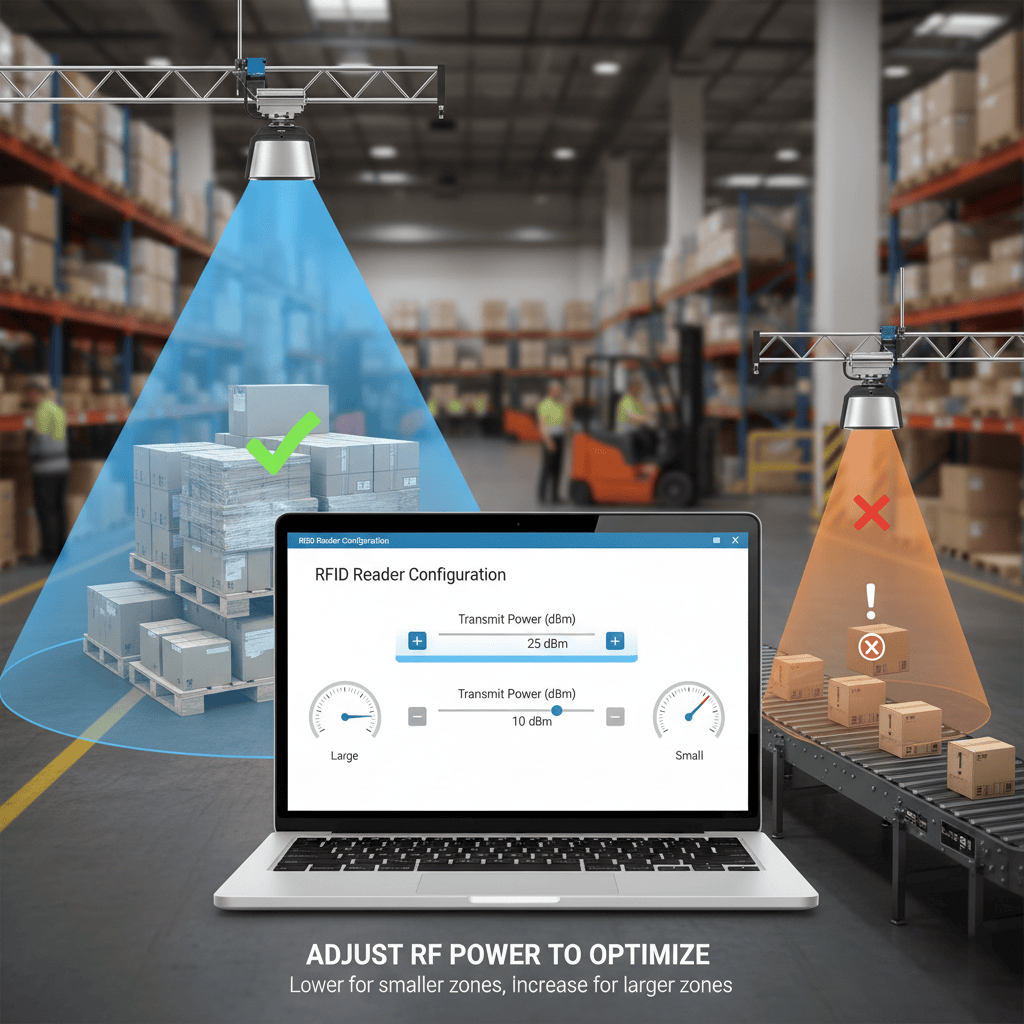
To adjust RFID reader power, you must access the reader’s configuration software or API. Look for a setting labeled "Transmit Power" or "RF Power," typically measured in dBm. Lower the power for smaller read zones and increase it for larger ones to match your application's needs.
Throughout my 20 years in the RFID industry, from the production line to my current role at Fongwah, I've seen countless projects struggle with read accuracy. The most common culprit is a mismatch between the reader's power and the physical environment. High error rates are frustrating, but often, the fix is straightforward. It all starts with understanding your reader's power settings. Before you redesign your whole setup, let's look at the simple adjustments that can make a huge difference.
Why is Power Adjustment the First Step to Fixing RFID Read Errors?
You're facing a pile of frustrating read errors. You don't know where to start troubleshooting. Begin with the easiest and most effective fix: the reader's power level.
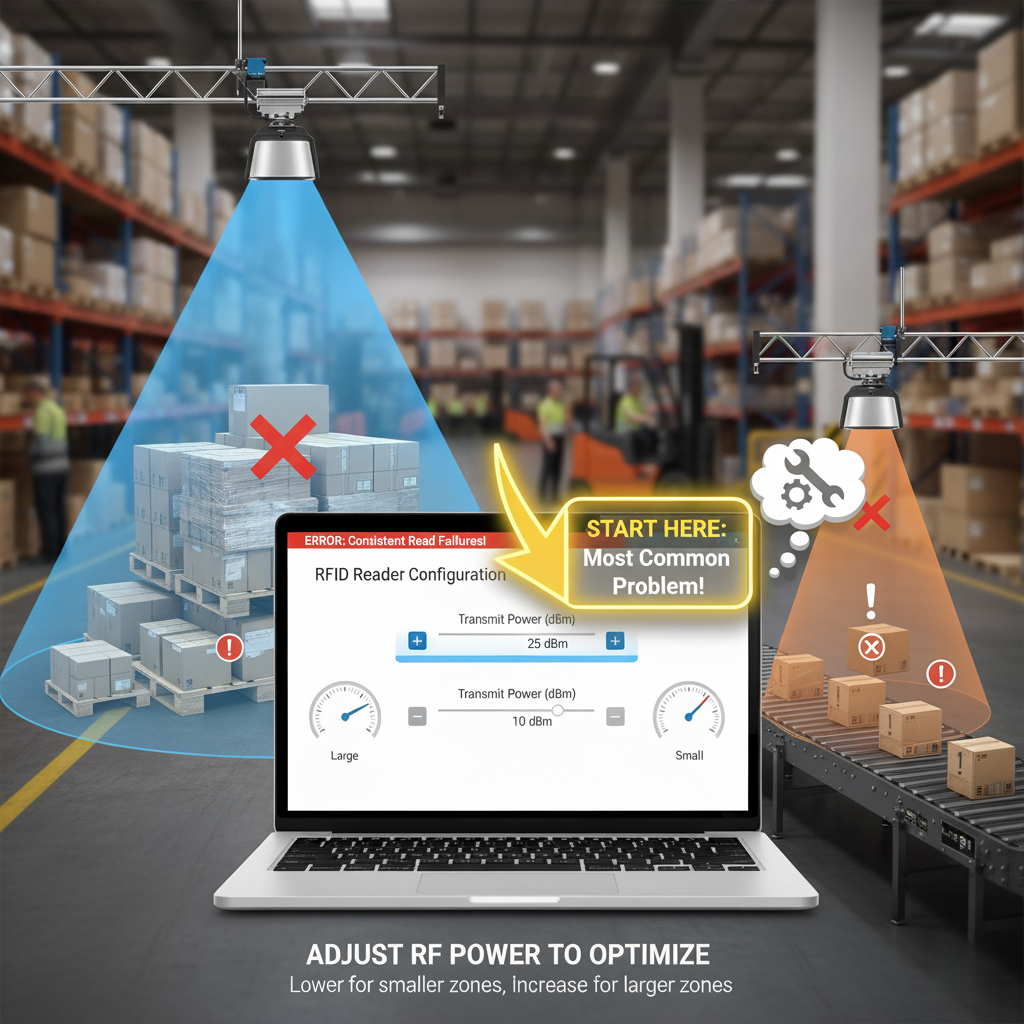
Power adjustment is the first step because it directly controls the size of the interrogation zone. This is the most common cause of errors, such as reading unwanted tags from afar or missing tags that are close by. It's the simplest variable to control.
Deeper Dive: Balancing Your Read Zone
Controlling the reader's power is all about defining a precise "read zone." This is the three-dimensional space where the reader can successfully communicate with a tag. When this zone is not correctly sized for your application, errors happen. I remember a project for a logistic company. Their outbound gate reader was accidentally scanning tags still sitting on warehouse shelves 20 feet away. This caused major shipping errors. The problem wasn't a faulty reader; its power was just set too high. We simply lowered the power, and the problem vanished.
The Problem of "Tag Flooding"
This happens when the reader's power is too high. The RF field is so large and powerful that it energizes tags well outside your desired area. The reader becomes overwhelmed by too many tag responses at once, leading to data collision and missed reads. It's like trying to listen to one person in a room where everyone is shouting.
The Problem of "Weak Signals"
This is the opposite issue. If the power is too low, the RF field can't provide enough energy to activate tags at the edge of your intended read zone. The reader might read tags that pass directly in front of it but miss those just a few feet away. This results in inconsistent performance and false negatives.
| Power Level | Effect on Read Zone | Common Problem | Recommended Action |
|---|---|---|---|
| Too High | Very Large | Reading unwanted tags; data collision | Decrease power in small steps (e.g., 1-2 dBm). |
| Too Low | Very Small | Missing tags within the desired area | Increase power in small steps until all target tags are read. |
| Just Right | Matches application space | Reliable and accurate reads | Test thoroughly to find the optimal power setting for your specific environment. |
How Do I Adjust Power Levels Using Software or an API?
You know you need to change the power level. But the technical manual is dense and confusing. Don't worry, the actual process is usually quite simple through software.
You can adjust power using the manufacturer's GUI utility or through API commands in your own software. In the interface, find the "RF Power" or "Transmit Power" setting and enter a new value. The change is often applied instantly.

Deeper Dive: The Practical Steps for Power Control
Every RFID reader manufacturer has its own software, but the principles are universal. During my time as an engineer, I worked with dozens of different reader models. They all had a way to control the output power. The two main methods are using a graphical tool or programming it directly. Your choice depends on whether you are setting up the system for the first time or integrating it into a larger, automated process.
Using a Graphical User Interface (GUI)
Most vendors, including us at Fongwah, provide a free utility program. You connect the reader to a computer, run the software, and it will present you with a dashboard of settings. You will usually find a slider or a text box labeled "Transmit Power," "Output Power," or "RF Power." The values are typically in dBm, a standard unit for signal strength. For many UHF RFID readers, this range is from about 10 dBm to 30 dBm or higher. It's a very intuitive way to find the right setting through trial and error.
Using an Application Programming Interface (API)
For developers like William, an API offers more dynamic control. The reader's Software Development Kit (SDK) will include commands to set the power level. For instance, a command might look like reader.set_power(27) or set_tx_power(2700). This allows your application to change the power on the fly. For example, you could use high power for an initial inventory count and then lower the power to track specific items moving through a small gate. This level of control is essential for building sophisticated RFID solutions.
| Method | Target User | Typical Steps | Pros & Cons |
|---|---|---|---|
| GUI Utility | Field Engineers, Installers | 1. Connect reader to PC. <br> 2. Run utility software. <br> 3. Find power setting. <br> 4. Adjust and test. | Pro: Easy, visual, no coding needed. <br> Con: Manual process, not for dynamic changes. |
| API / SDK | Software Developers | 1. Include SDK library. <br> 2. Use set_power() function. <br> 3. Compile and deploy code. |
Pro: Flexible, allows for dynamic power changes based on events. <br> Con: Requires programming knowledge. |
What Other Factors Affect Read Accuracy Besides Power?
You've carefully adjusted your reader's power. But you are still getting frustrating read errors. It's time to look beyond power and consider the whole system.
Besides power, read accuracy is heavily influenced by antenna selection and placement, tag orientation, and environmental factors like metal and liquids. These elements can block, absorb, or reflect RF signals, creating blind spots or unpredictable read zones.

Deeper Dive: A Holistic View of RFID Performance
Optimizing an RFID system is about more than just turning a dial. I learned this lesson the hard way on a project for a retail client. We set the power perfectly, but the reader still missed tags on clothing racks. The issue was twofold: we were using the wrong type of antenna, and the metal racks were reflecting the RF signals in unpredictable ways. Once we addressed the antenna and its position relative to the metal, the system worked flawlessly. A truly robust setup requires thinking about every element.
Antenna Choice and Placement
Antennas are not all the same. A linear polarization antenna sends a signal in a single plane, which is powerful but requires precise tag alignment. A circular polarization antenna sends a signal that rotates, making it much better at reading tags in various orientations. For most applications, a circular antenna is a safer bet. Also, the antenna's position is critical. Avoid pointing it directly at metal surfaces. Sometimes, simply moving an antenna a few inches up or to the side can solve major read-rate problems.
Environmental Interference
Your environment is a huge factor. Metal is the biggest enemy of RFID because it reflects radio waves, creating both blind spots and areas where reads happen unexpectedly. Liquids are the second biggest enemy because they absorb radio waves, effectively killing the signal. If you must place tags on metal or liquid containers, use specialized on-metal tags or foam spacers to create distance between the tag and the surface. This small gap can make a world of difference.
| Factor | Description | Impact on RFID Signal | Recommended Action |
|---|---|---|---|
| Antenna Type | The antenna's polarization (Linear vs. Circular). | Determines sensitivity to tag orientation. | Use circular polarization for most applications unless tag orientation is fixed. |
| Tag Placement | The tag's position and orientation on the object. | Can be unreadable if blocked or improperly aligned with the signal. | Ensure a clear line of sight to the reader. Test different placements. |
| Interference | Presence of metal, liquids, or other RF devices. | Metal reflects signals; liquids absorb them. | Use on-metal tags, add spacers, and move readers away from interference sources. |
Conclusion
Mastering RFID accuracy starts with power adjustment, but it ends with a holistic understanding of your antennas and environment. Fine-tuning these elements will solve most read-rate problems.