- Why USB-connected RFID readers are becoming the standard for checking stations and access control points in 2026
- Bridging the Gap Between Physical Assets and Digital Databases with Precision<span data-mce-type="bookmark" style="display: inline-block; width: 0px; overflow: hidden; line-height: 0;" class="mce_SELRES_start"></span>
- Choosing Between Speed and Control: Keyboard Emulation vs. Virtual COM Integration
You spend millions on a state-of-the-art Warehouse Management System, but your shipping accuracy still depends on a tired employee typing numbers manually. This disconnect creates errors that cost you money every single day.
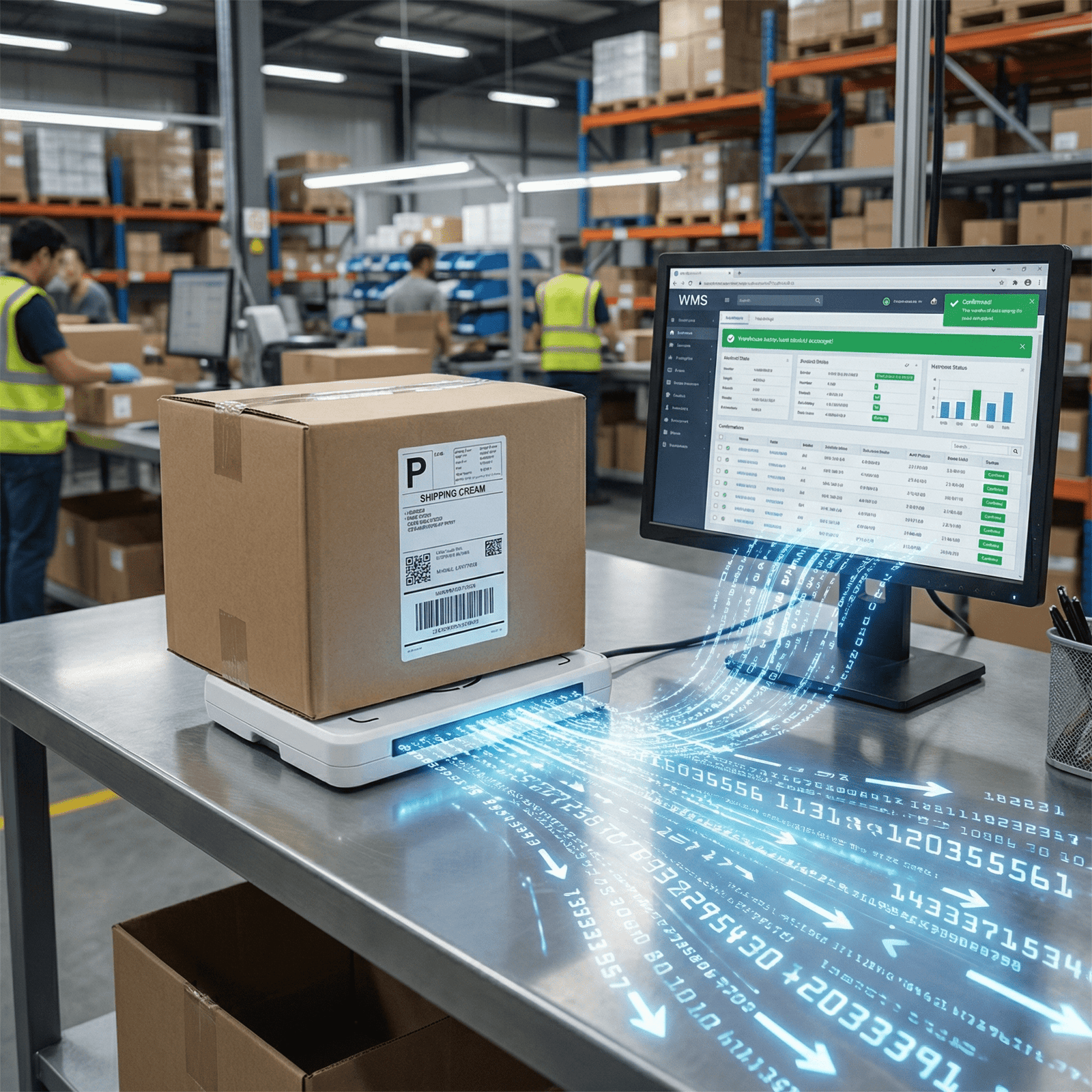
Desktop UHF readers solve the "Last Meter" problem by bridging the gap between physical items and digital records at the packing station. They enable instant verification within the WMS, eliminating manual entry errors and ensuring 100% shipping accuracy without disrupting the existing workflow.

I visit warehouses all the time. I see high-speed conveyor belts and automated robots. But when I look at the checking station, I see a guy with a clipboard or a handheld scanner that is out of battery. The data chain breaks right at the end. We call this the "Last Meter" problem. To fix this, you do not need more robots. You need smart desktop integration.
The Challenge: Integrating RFID into Legacy WMS and ERP Systems?
Upgrading an established ERP system feels like performing heart surgery. IT managers are terrified that adding new hardware drivers will crash the server or that the readers will scan the wrong items.
Integrating RFID into legacy WMS often fails due to driver incompatibility or uncontrolled read ranges. USB-connected RFID readers minimize this risk by offering plug-and-play compatibility and adjustable power settings to confine scanning to the workstation, preventing cross-reads from nearby pallets.

I worked with a logistics center in Shanghai that tried to implement RFID two years ago. They failed miserably. They bought powerful, long-range industrial readers and bolted them to the packing desks. The problem? The readers were too strong. When a packer tried to scan the box in front of him, the reader also scanned the forklift driving behind him and the pallet on the shelf next to him. The WMS went crazy. It tried to ship items that were not even in the order. The IT manager was furious. He blamed the technology. I told him, "You are using a sledgehammer to crack a nut." For the checking station, you need a Desktop UHF Reader with a near-field antenna1 or adjustable power. At Fongwah, our devices allow you to lower the power output via software, from 30dBm down to 0dBm. This constrains the read field to just 20 or 30 centimeters. Furthermore, the challenge is the driver. Old ERP systems (like older versions of SAP or Oracle) are picky. They do not like strange third-party drivers. This is why we focus on standard USB interfaces. If the computer treats the reader like a standard peripheral, the ERP is happy. The "Last Meter" is about precision, not range. You need to know exactly what is on the desk, not what is in the room.
What is Keyboard Emulation (HID Mode) and when should you use it?
Your IT team is overworked and refuses to write custom code for a new device. You need a way to start scanning tags today, not six months from now.
Keyboard Emulation (HID Mode) allows the RFID reader to act like a standard barcode scanner or keyboard. It types the tag ID directly into the active field of your Excel or web-based WMS, requiring absolutely no software development or driver installation.
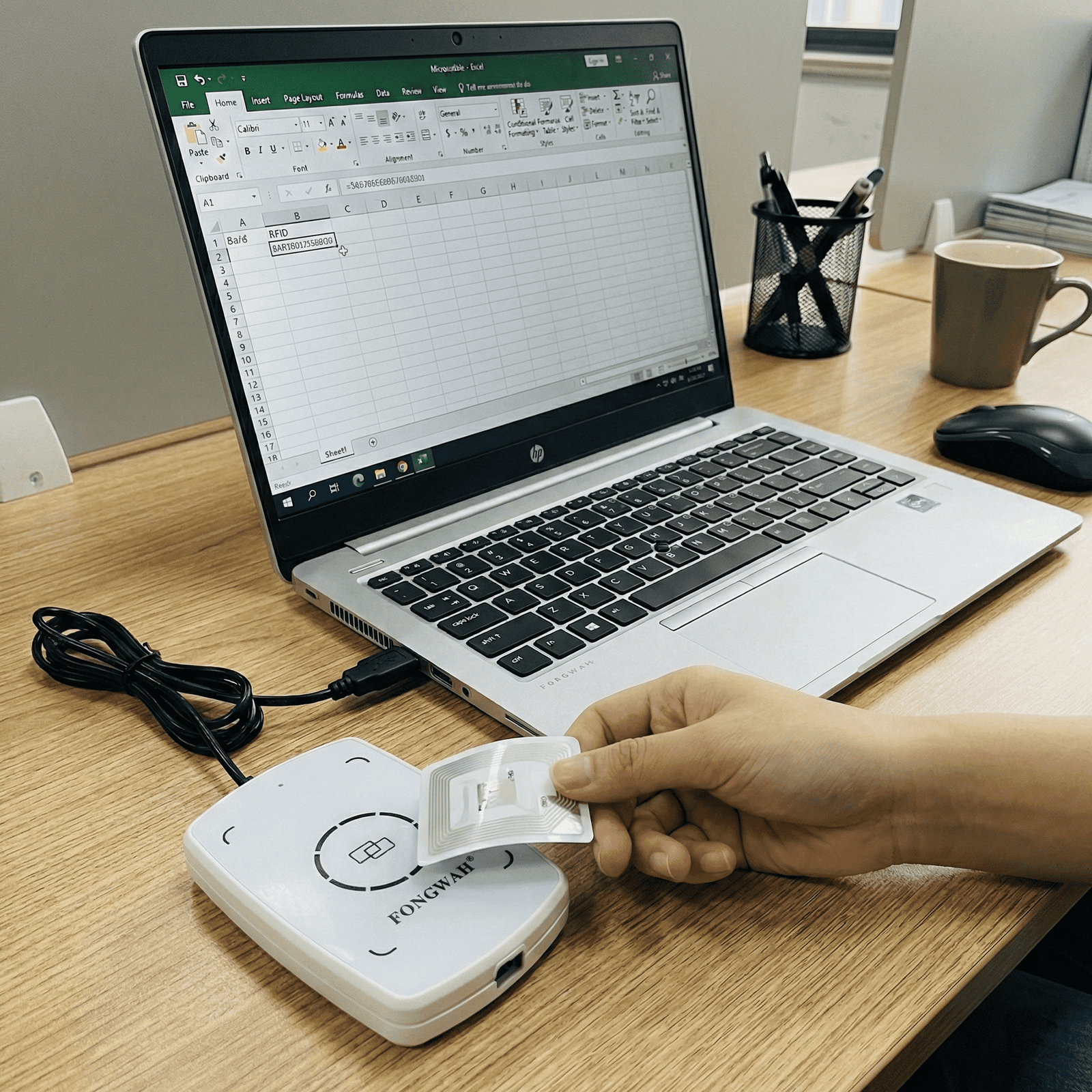
This is the feature that saves my clients the most time. We call it "Plug and Play." In HID (Human Interface Device) mode, the computer does not know it is talking to a high-tech UHF RFID reader. It thinks it is talking to a USB keyboard. Here is how it works: You open your WMS webpage. You click on the box that says "Tracking Number." You wave the tag over the reader. The reader reads the EPC (Electronic Product Code), converts it to text, and "types" it into the box, followed by an "Enter" key command. The system processes it immediately. For rapid deployment, HID mode allows our readers to function as a standard input device. I recommend this for:
- Excel-based inventory: If you are a smaller shop using spreadsheets.
- Web-based SaaS: If you cannot install drivers on the client machine (like a Chromebook).
- Barcode replacement: If you are just swapping a barcode gun for an RFID pad. However, it has limits. It is a "dumb" mode. It reads whatever it sees. It cannot differentiate between a "Box" tag and a "Pallet" tag if they are both there. It just types everything. But for 80% of simple checking stations, this is all you need. It gets you up and running in 5 minutes.
Why do professional integrators prefer Virtual COM Mode over HID?
Simply reading a number is not enough for complex security or logic operations. You need to write data back to the tag, lock memory banks, or filter specific items.
Virtual COM Mode creates a dedicated two-way communication channel between your software and the reader. Using our SDK, your application can send commands to write memory, lock tags, or filter specific EPCs, providing the precision professional integrators demand for complex WMS workflows.
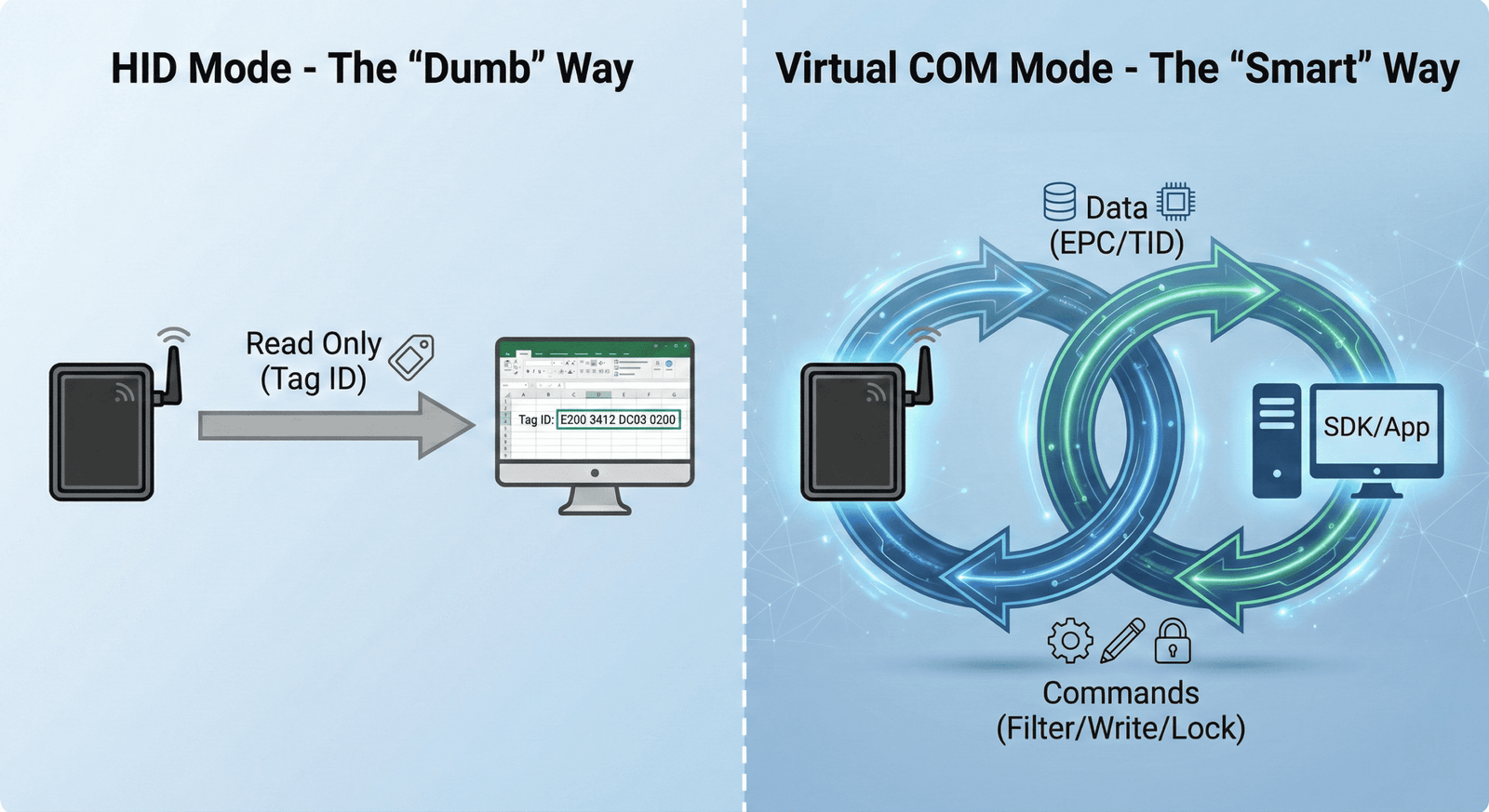
While HID is great for speed, Virtual COM is for control. If you are a System Integrator (SI), you likely need to do more than just "read." Maybe you need to encode the shipping date into the User Memory bank of the tag. Maybe you need to check the "Kill Password" to ensure the tag is deactivated before it leaves the store (for privacy).
HID mode cannot do this. HID is one-way (Reader to Computer). Virtual COM is two-way (Computer to Reader and back). When you install our driver, the computer sees a "COM Port" (like COM3), allowing your software to take full control.
Instead of just receiving a raw stream of numbers like a keyboard, you can programmatically initialize the device and target specific data.
With the Fongwah SDK, developers can easily connect to the reader via a specific COM port and execute precise commands—such as reading only the EPC bank or verifying the unique TID for security.
By integrating this SDK, your WMS can perform advanced logic that HID mode simply cannot handle. For example, you can implement software-side filtering to ignore stray tags, or write data back to the tag's User Memory to update shipping status in real-time.
Here is a breakdown for the decision maker:
| Feature | HID Mode (Keyboard) | Virtual COM Mode (Serial) |
|---|---|---|
| Driver Required? | No | Yes |
| Development? | None (Plug & Play) | Yes (Requires Coding) |
| Direction | Read Only | Read & Write |
| Filtering | No (Reads everything) | Yes (Specific targeting) |
| Best For | Fast Entry / Web Apps | Custom Software / Logic |
We support C#, Java, Python, and C++. We give you the "Manual PDF" and the example code. If you are building a professional WMS, you use Virtual COM. It gives you the power to control the hardware completely.
Frequently Asked Questions about Desktop UHF Integration
Q1: Can I switch between HID and Virtual COM modes on the same device?
Answer: It depends on the model series. While our UHF Integrated Readers support software-based toggling, most Desktop Readers are pre-configured at the factory to ensure maximum driver stability. We strictly recommend specifying your requirement (HID for "Plug & Play" or Virtual COM for development) when requesting a quote so we can provide the correct firmware.
Answer: This is the "Last Meter" precision we specialize in. Unlike fixed industrial readers, our desktop units support software-based power adjustment (0dBm to 30dBm). You can lower the power output to restrict the read range to just 10-20cm, ensuring only the item on the desk is scanned.
Q3: What operating systems and languages does your SDK support?
Answer: We provide comprehensive development kits for Windows, Linux, and Android. Our SDK includes libraries and example code for C#, C++, Java, and Python, making it easy to integrate into both legacy ERPs and modern web-based WMS architectures.
Q4: Do I need to install drivers for HID mode?
Answer: No. HID (Human Interface Device) mode is strictly plug-and-play. Your computer will recognize the reader as a standard USB keyboard immediately, requiring no administrative privileges or driver installation—perfect for locked-down corporate IT environments.
Conclusion
The choice comes down to your integration strategy. Select the HID firmware version for instant, driver-free entry into web forms, or choose the Virtual COM version for deep integration where you need to write data and filter tags. At Fongwah, we offer tailored firmware solutions to ensure you solve the 'Last Meter' problem your way.
---
Explore how near-field antennas enable precise item identification and prevent unwanted scans in busy warehouse environments. ↩